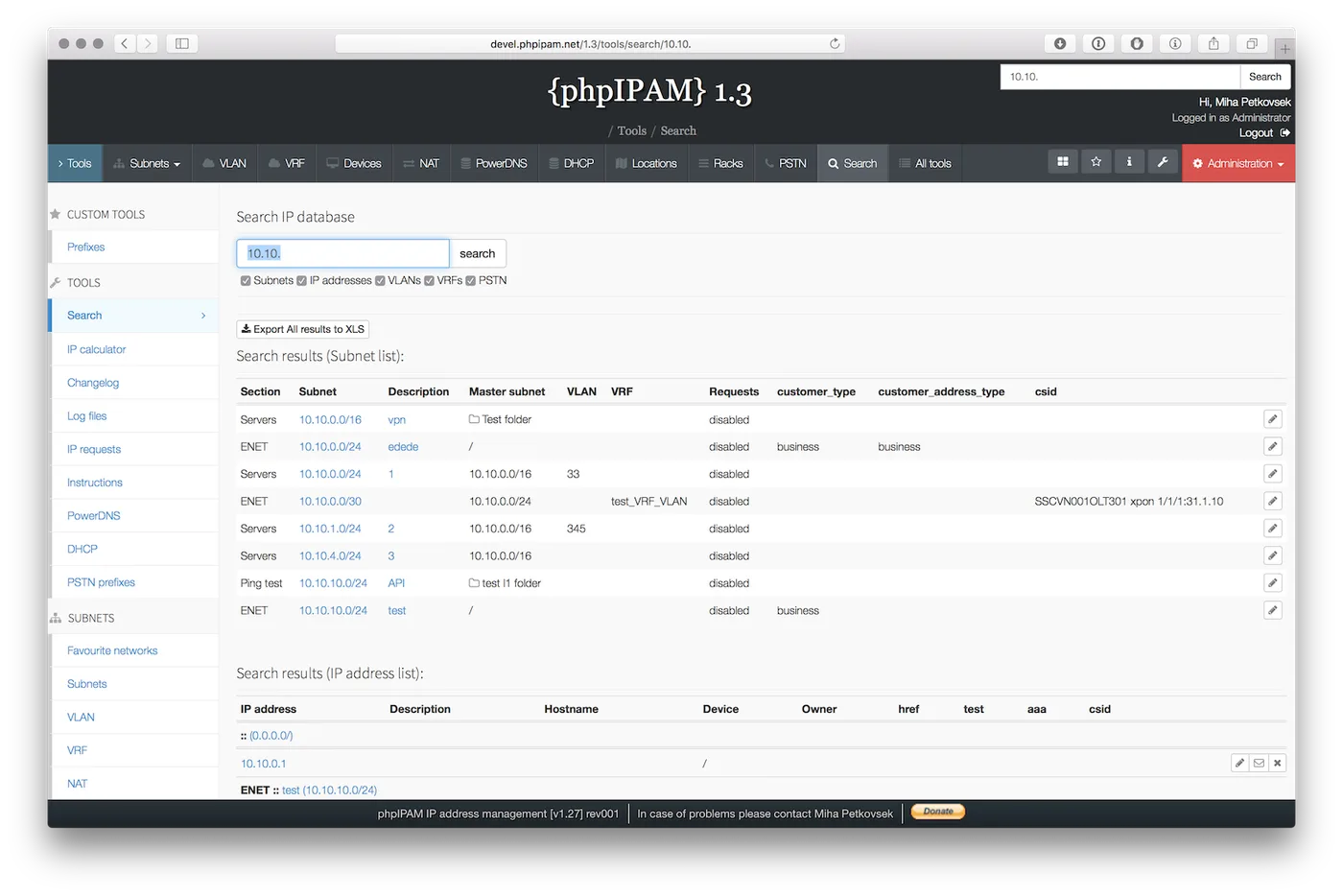
The spreadsheet says 10.20.4.37 is free. You assign it to a new label printer, and ten minutes later the finance VLAN has a duplicate-address warning because someone’s lab NUC grabbed that address as a static two years ago and never wrote it down. phpIPAM exists for exactly this moment: it keeps the list of what you think is allocated, then keeps pinging and scanning to tell you where that list and the network disagree.
What phpIPAM actually is
phpIPAM is an open-source web application written in PHP with a MySQL or MariaDB back end, released under GPL v3. You host it yourself — on a small Linux VM behind Apache or nginx, or through the Docker deployment the project documents. At the time of writing the 1.8 branch is current (the project’s GitHub shows 1.8.3, a bugfix and security release from September 2026), and the README lists PHP 7.2 through 8.5 as supported for 1.8.x. Since 1.6.0 the database must handle utf8mb4, which means MySQL 5.7.7 or newer; MySQL 8.0+ or MariaDB 10.2.1+ is recommended for the recursive queries.
The data model is straightforward: sections contain subnets, subnets contain addresses, and each address carries a hostname, MAC, owner, device link, description, and custom fields. Around that sit VLAN domains, VRFs, NAT objects, devices, racks, locations, and a REST API. Authentication can be local or delegated to Active Directory, LDAP, or RADIUS, and there is a PowerDNS integration if your DNS runs there.
How it keeps the record honest
This is where phpIPAM earns its place for a reconciliation-minded admin. Two scheduled jobs run from cron on the phpIPAM host:
- a status check that pings every address already recorded in subnets you flag for checking, and updates each one’s “last seen” timestamp;
- a discovery scan that sweeps flagged subnets for addresses that answer but are not in the register, and adds them as discovered hosts.
The ping method is configurable (the classic choice is fping for speed on a /24). A typical crontab entry looks like:
*/15 * * * * /usr/bin/php /var/www/phpipam/functions/scripts/pingCheck.php
*/30 * * * * /usr/bin/php /var/www/phpipam/functions/scripts/discoveryCheck.php
Subnets the web server cannot reach directly — a branch behind a firewall, a DMZ — are handled by phpipam-agent, a separate GPLv3 script you place on a host inside that segment. It connects to the central phpIPAM MySQL database and runs in discover or update mode. That design is simple, but note the consequence: every remote agent needs read/write credentials to your main database, so plan the firewall rule (TCP 3306 from the agent only) and a dedicated DB user.
The result is a register where stale entries show up as “not seen in 90 days” and uninvited hosts show up as new discoveries. Someone still has to judge each one, but the disagreement is now visible.
Where it’s strong
- Cost of entry. GPL v3, no licence server, no per-address metering. A 2 vCPU / 2 GB VM is plenty for a few thousand addresses.
- Subnet hygiene. Nested subnets, a free-space view, and “first available address” make carving a /22 into /24s or /26s quick, and IPv6 prefixes sit alongside IPv4.
- Spreadsheet import. CSV/XLS import per subnet lets you bring the old sheet across in an afternoon. The walk-through is in our guide on moving IP tracking off the spreadsheet.
- API. The REST API is usable from PowerShell or Ansible to request the next free address during provisioning, which is the single biggest step toward keeping the record current.
Where it falls short / who should skip it
phpIPAM is not a DHCP manager. It will not push a reservation into Windows DHCP or Kea for you, so a scope running dry is something you notice rather than something it prevents. If DHCP scope control is the main pain, look at SolarWinds IPAM or Micetro instead.
It is also not a data-centre source of truth. Devices, racks, and cables exist, but they are thin compared with NetBox, which models interfaces, circuits, and cabling properly.
Operationally, you own the patching. phpIPAM has had real security fixes (the 1.8.3 release includes CSRF and access-control fixes), and a web app holding your full address plan should not be exposed to the internet or left on an old release. Budget time for PHP and MySQL upgrades too.
Finally, ping-based discovery only sees hosts that answer ICMP. Windows machines with the default firewall profile, many IoT devices, and anything filtered by a host firewall will look “offline” even when they hold the address.
Who it suits
A solo admin or small team with Linux comfort, one to a few dozen sites, and a spreadsheet that has stopped being trustworthy. It also suits MSPs who want one instance per client with sections as boundaries.
Licensing and cost
Free under GPL v3, with community support through GitHub issues and the project documentation. Your real cost is the VM, the backup of the MySQL database, and the hours to keep PHP current.
How it compares
The closest decision most teams face is phpIPAM against NetBox — broken down in phpIPAM vs NetBox. In short: phpIPAM is quicker to stand up and scans for you; NetBox models more and expects you to bring discovery. GestióIP is the other free self-hosted option and leans harder on SNMP-based discovery from routers. For one-off sweeps before you assign a static, a desktop scanner such as Angry IP Scanner complements phpIPAM rather than competing with it. More options sit in the IPAM software category.
Getting it safely
Get phpIPAM from the project’s own site (phpipam.net) or its GitHub repository, pinning a tagged release rather than cloning master into production. If you use the Docker images, pull them from the publisher named in the project’s documentation. Our where to get software page explains how we point to vendor and project sources only.
FAQ
Does phpIPAM need an agent on every subnet?
No. Subnets reachable from the phpIPAM server are scanned directly by the cron jobs. You only need phpipam-agent for segments the server cannot reach, and each agent talks to the central MySQL database.
Can phpIPAM detect IP conflicts?
Indirectly. The discovery scan reports addresses that respond but are not recorded, and the status check flags recorded addresses that stopped answering. It does not watch for gratuitous ARP collisions in real time.
Is it safe to expose phpIPAM on the internet?
It is better not to. Keep it on a management network or behind a VPN, enforce AD/LDAP or two-factor login, and apply security releases promptly.
Does it support IPv6?
Yes. IPv6 sections and subnets are first-class, though ping discovery across a full /64 is not practical; IPv6 records are normally maintained by import or API.